Property tax for landlords, without the spreadsheet
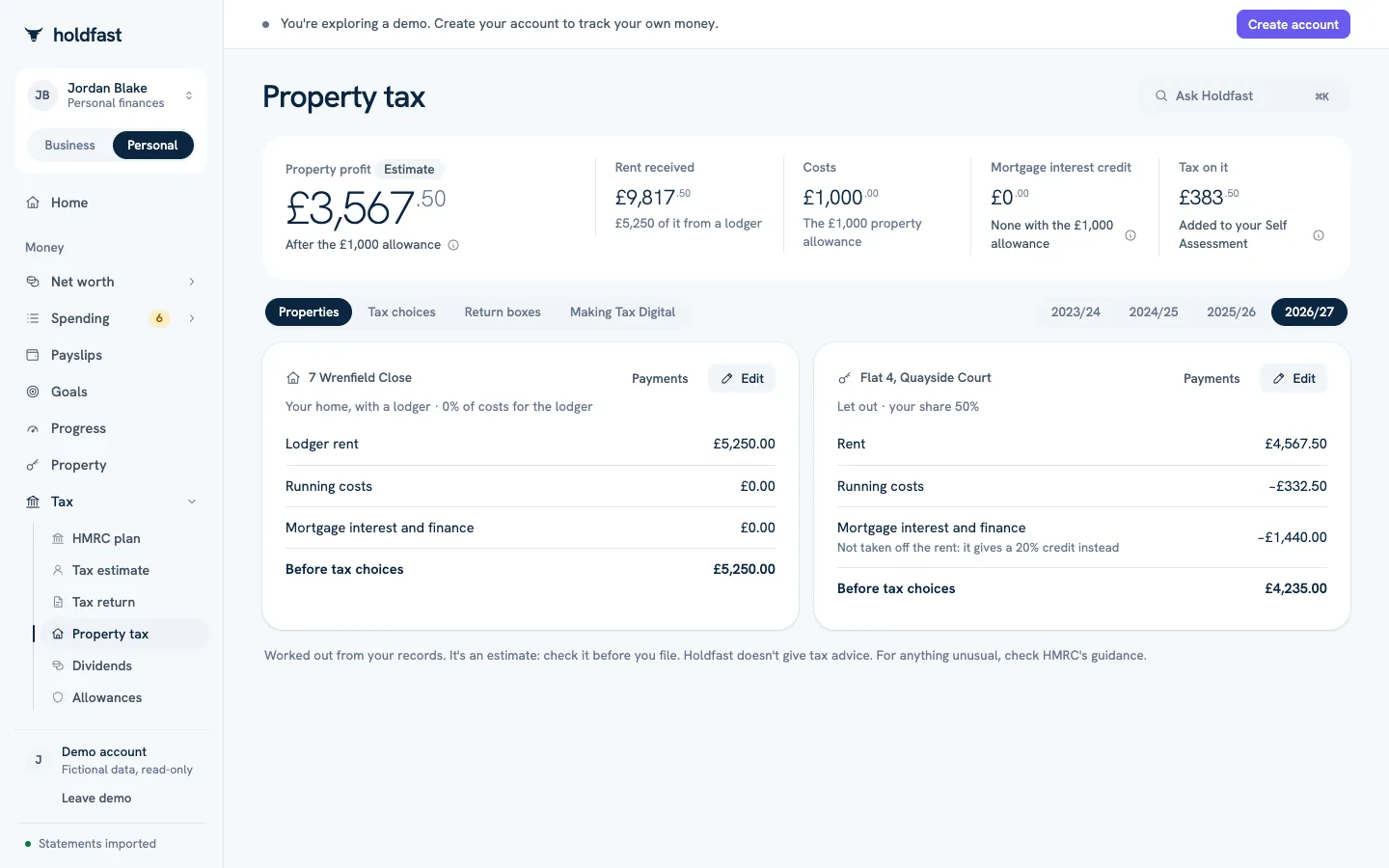
Holdfast works out each tax year's property profit the way the Self Assessment property pages ask for it, from your rent and the costs you tag to each property. The Property tax page tries every allowed mix of allowances and reliefs and keeps the one with the least tax, unless you choose.
How it works
- Set up your properties
Say how each one is let, your share if you own it jointly, and whether it's furnished.
- Tag your costs
Rent and costs come from your payments. Mark finance costs, replacement items or improvements where needed.
- See the best option
Holdfast shows your property profit, the tax choices it picked and your SA105 boxes.
What you get
- Property allowance or costs
- Compares the property allowance with your actual costs and uses whichever leaves less tax, where HMRC allows it.
- Rent a Room
- For a lodger in your home, compares Rent a Room relief with the normal way of rent less costs.
- Mortgage interest rules
- On residential lets, finance costs give a tax reduction instead of coming off the rent, with any unused amount carried forward.
- Joint owners
- Each owner is taxed on their share, whether the bank shows the whole rent or just your part.
- Losses carried forward
- Property losses and unused finance costs roll into the next tax year.
- Self Assessment boxes
- Your figures set out by SA105 box, ready to copy into your return.
- Making Tax Digital quarters
- Track your property quarters and mark each update as sent.
Who it's for
Questions
Does Holdfast send my property updates to HMRC?
Not yet. Sending is built and waiting on HMRC's approval. For now, download your quarterly figures as a CSV and import them into compatible or bridging software.
I rent out a room in my home. Is that covered?
Yes. Holdfast compares Rent a Room relief with rent less costs and uses the one with less tax.
Does Holdfast handle furnished holiday lets?
No. Those rules have ended for income tax and Holdfast doesn't model them.