Invoices that know when you have been paid
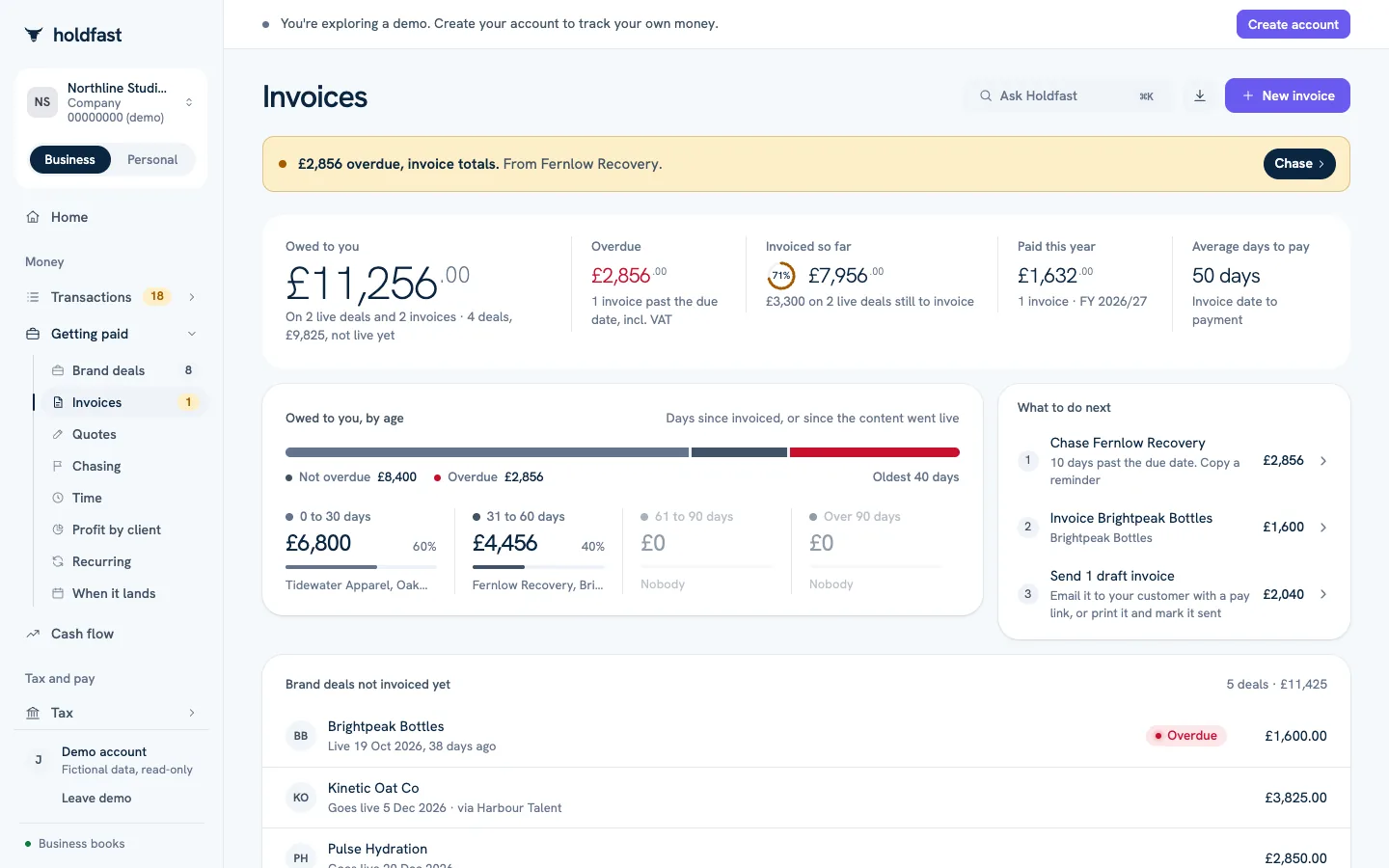
Holdfast numbers your invoices, works out the VAT, and keeps a running list of what you are owed and how old it is. When money lands in your bank, Holdfast suggests the payment that matches each invoice, so marking it paid takes one tap.
How it works
- Create the invoice
Add your customer, the lines and the due date. Holdfast numbers it and adds VAT the way your settings say.
- Send it
On a business plan, Holdfast emails it with a link to view and pay, and replies come to you. Or print it or save it as a PDF. It now counts as money you are owed.
- Match the payment
When the money arrives, Holdfast suggests the bank payment that fits, best match first. Pick it and the invoice is paid.
What you get
- What you are owed, by age
- See money owed by age, from not yet due to over 90 days late, with overdue invoices and the customers behind them called out.
- VAT handled per invoice
- Each invoice keeps its own VAT treatment: no VAT, standard VAT, outside the scope for an overseas business customer, or the construction reverse charge with HMRC's wording.
- Built for construction
- Switch on CIS and the invoice splits labour from materials and shows the deduction your contractor keeps back, so you know what will actually land.
- Agency commission
- For work through an agency, the lines show your full fee and the total shows what you are paid after commission.
- Payment matching
- Holdfast looks for money in close to the invoice total, ranking payers whose name matches your customer first.
- Recurring invoices
- Set an invoice to repeat weekly, monthly, quarterly or yearly. Holdfast catches up any dates missed and never makes the same one twice.
Who it's for
Questions
Does Holdfast email the invoice for me?
Yes, on a business plan. Holdfast emails your customer a link to view and pay the invoice, and replies come to you. You can also print it or save it as a PDF.
What if I am not VAT registered?
Then your invoices simply carry no VAT line. If you register later, new invoices pick up VAT from your settings.
Can I change an invoice after sending it?
You can edit a draft freely. Once an invoice is sent you can mark it paid, unpaid or void it, which keeps your records honest.