Everything you own and owe, on one page
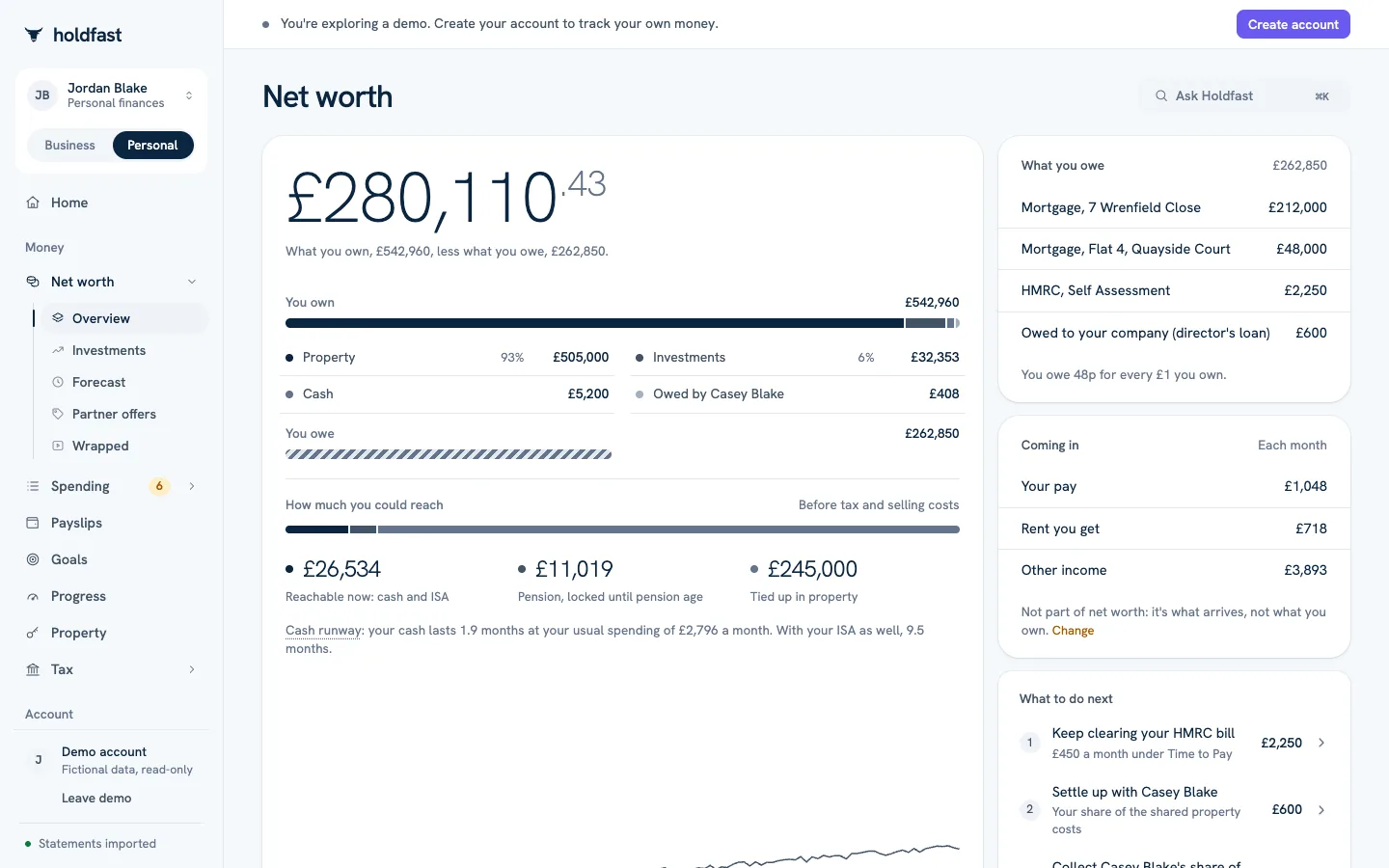
Net worth adds up your cash, investments and property, takes off mortgages and what you owe HMRC, and records the figure each day you open it. Investments keeps your holdings across ISA, pension and general accounts, and can read them from a screenshot of your investing app.
How it works
- Add your accounts
Type in holdings, import a valuation CSV, or send a screenshot of your investing app.
- Check what was read
Screenshots become an editable table, so you confirm every figure before it's saved.
- See the whole picture
Net worth puts cash, investments and property against what you owe.
What you get
- Own against owe
- Cash, investments and property against mortgages and your Self Assessment bill.
- Accounts by type
- Holdings grouped into ISA, pension, general and cash accounts.
- Update from screenshots
- Send a screenshot on the Investments page or by message, and the holdings are read for you to check.
- Checked before saving
- Read figures are checked to add up to the total shown, and a holding seen in two screenshots is kept once.
- Look inside some funds
- For the small set of funds Holdfast has a factsheet for, see what they own by asset type, region and sector.
- History builds itself
- A net worth figure is kept each day you open the page, and a history line appears after a week.
- Property you part-own
- Add a value, a mortgage and your share, and only your share counts.
Who it's for
Questions
Does Holdfast give investment advice?
No. Holdfast records what you tell it or send it, adds live prices where it has them, and never comments on your holdings.
Are my screenshots kept?
No. Screenshots are read by Holdfast's AI provider and then thrown away. Only the figures you confirm are saved, in your own books.
Do I need to connect my investing app?
No. You can type holdings in, import a valuation CSV, or send a screenshot.