Your payments, filed for you, with reasons
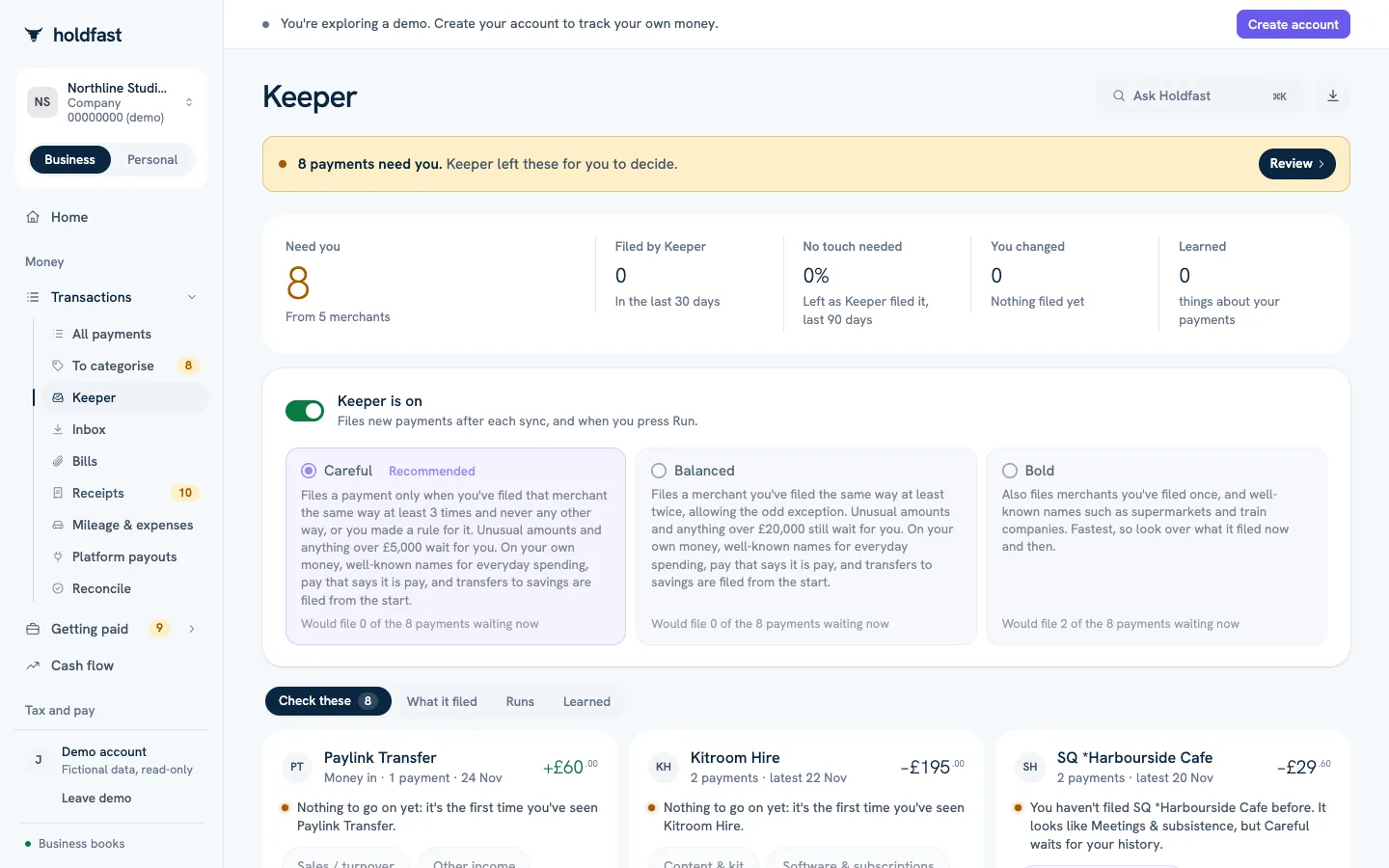
Keeper files new payments into a category by itself when your own history makes the answer clear, and shows why for every one. Anything it isn't sure about waits in Check these for you, and Keeper learns from every choice you make.
How it works
- Payments come in
After a bank sync or a statement import, Keeper looks at every payment that has no category yet.
- Keeper files the clear ones
If you have filed that merchant the same way before, or a rule says so, Keeper files it and notes the reason.
- You check the rest
Anything uncertain waits in Check these. Your choice teaches Keeper for next time.
What you get
- Careful by default
- On Careful, Keeper files a merchant once you have filed it the same way at least three times and never another way, or when a rule you made says so. Unusual amounts wait for you. Balanced and Bold need less.
- Never overrides you
- Only uncategorised payments are touched, so a category you set by hand never changes.
- Safe with sensitive categories
- Moves between your own accounts are never filed as income or spending, and tax or director categories are only used when you say so.
- Learns from corrections
- Change something Keeper filed and it needs fresh proof before filing that merchant again.
- Undo anything
- Every run is logged with what Keeper filed and why. Undo one payment or a whole run.
- VAT codes too
- For VAT-registered businesses, a filed payment also gets the VAT code that supplier always has.
Who it's for
Questions
Does Keeper send my data anywhere to decide?
No. Keeper decides from your own records: how you have filed before, your rules, and well-known merchant names.
What if Keeper gets one wrong?
Change it. Keeper records the correction and won't file that merchant again until you have shown it the new pattern.
Does Keeper work for personal money too?
Yes. Keeper runs on your personal and business books, each with its own on or off switch and level.